✓
Customer profile and communication history
Keep customer contacts, region and source, with a connected history of communications, representatives, outcomes and next actions.
Follow customers from first contact to agreement, and organize representatives, appointments and quotations in one place. Subscribe to CRM independently or alongside accounting and warehouses.
Start your free trial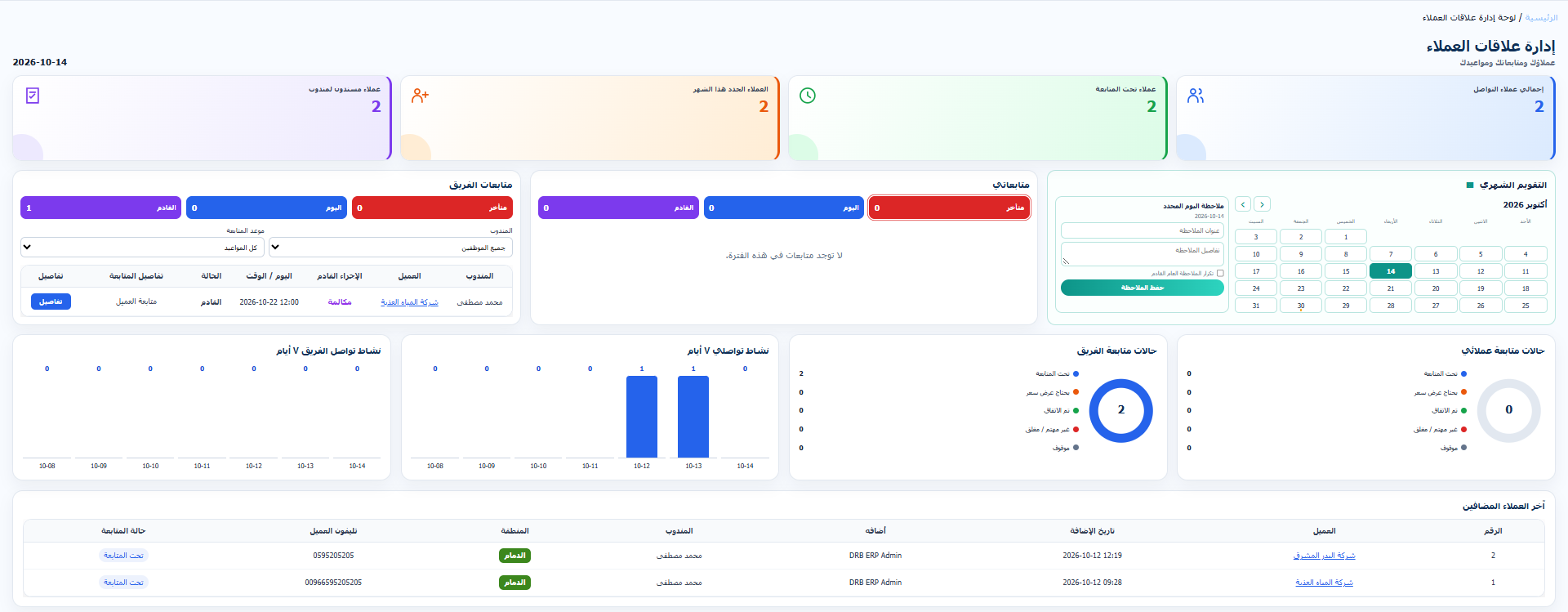
Keep customer contacts, region and source, with a connected history of communications, representatives, outcomes and next actions.
Assign customers to representatives, set assignment durations and preserve transfer reasons, notes and history with supervisor permissions.
Track upcoming and overdue appointments through the calendar and reminders, with personal and team follow-ups according to permissions.
Prepare successive customer quotations and track agreement status. With ERP integration enabled, complete the customer details and use the quotation in an invoice.
Organize teams, regions and sales roles, and control each representative’s customer visibility and responsibilities.
Review customer statuses, communication history, follow-ups by region and representative performance, with date, customer and team filters, printing, PDF and Excel.
Add contact details and select the region, source and responsible representative.
Record communication outcomes and schedule the next action, reviewing customer history before contacting them.
Track quotations, agreements and team performance through the dashboard and reports.