✓
Quotations and invoices
Prepare a quotation and use it in an invoice, or create a direct invoice with the customer, payment method and items.
Manage the sales cycle from quotation to invoice and collection, with customer accounts and e-invoicing in one place.
Start your free trial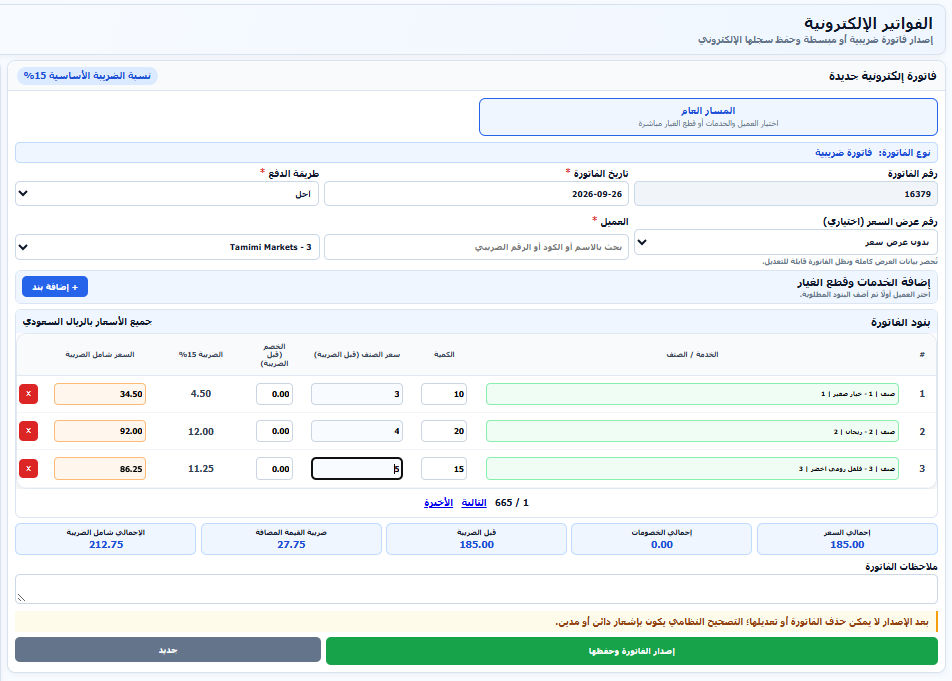
Prepare a quotation and use it in an invoice, or create a direct invoice with the customer, payment method and items.
Issue tax and simplified invoices with QR codes, with Phase 2 Fatoora integration and synchronization when activated for the company.
Handle returns or sales value adjustments through notes linked to the original invoice and reflected in customer movements.
Record receipts, track collected and outstanding amounts, and review statements and debt aging with payments taken into account.
Set the project, cost center and references, and apply performance retention as a percentage or amount after tax calculation.
Analyze sales by customer, item or project and review invoices and notes for a selected period, with printing, PDF and Excel.
Select the customer and any quotation, then review the lines.
Review prices, tax and payment method, then issue the invoice.
Track payments, notes and customer balances through reports.