✓
Chart of accounts
Organize parent and posting accounts, account nature and opening balances in a structured chart.
Organize your accounts from journal entry to balance review, with source-linked transactions and project and cost center allocation.
Start your free trial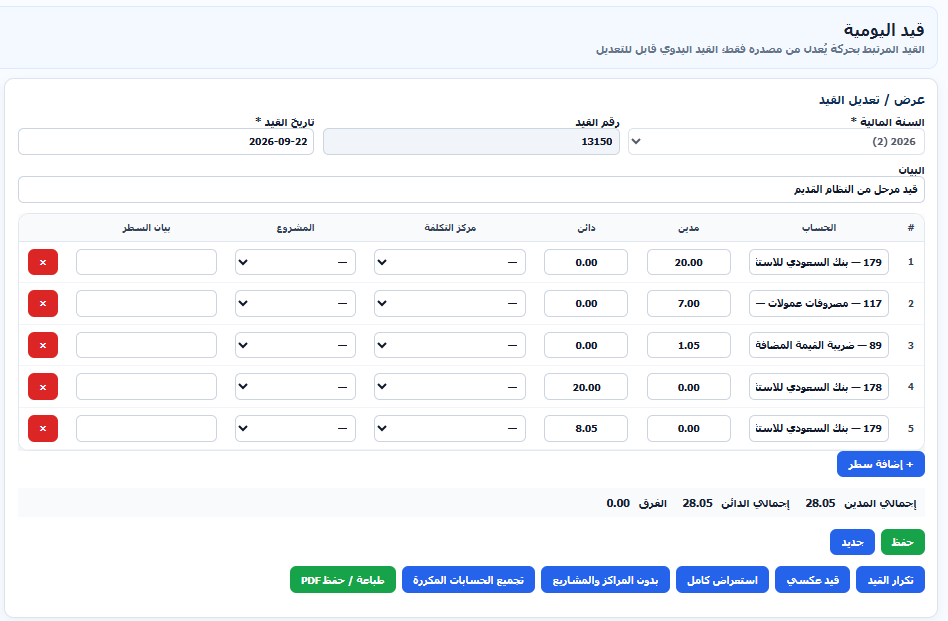
Organize parent and posting accounts, account nature and opening balances in a structured chart.
Enter accounts and line descriptions, review debit and credit totals, and prepare repeated or reversing entries.
Record receipts and payments using vouchers linked to their entries, with approval and printing in the same workflow.
Assign entry lines to cost centers and projects to track the income and expenses of each activity.
Review entries generated by sales and purchases and return to the original document to review or amend the transaction.
Review account movements, the ledger, trial balance and financial statements by period, with PDF and Excel export.
Prepare the chart, opening balances, projects and cost centers.
Enter a journal or voucher and review its balance and source.
Monitor balances and financial reports for the selected period.